Results
The result view, the summary of an analysis, the display options and the results plots.
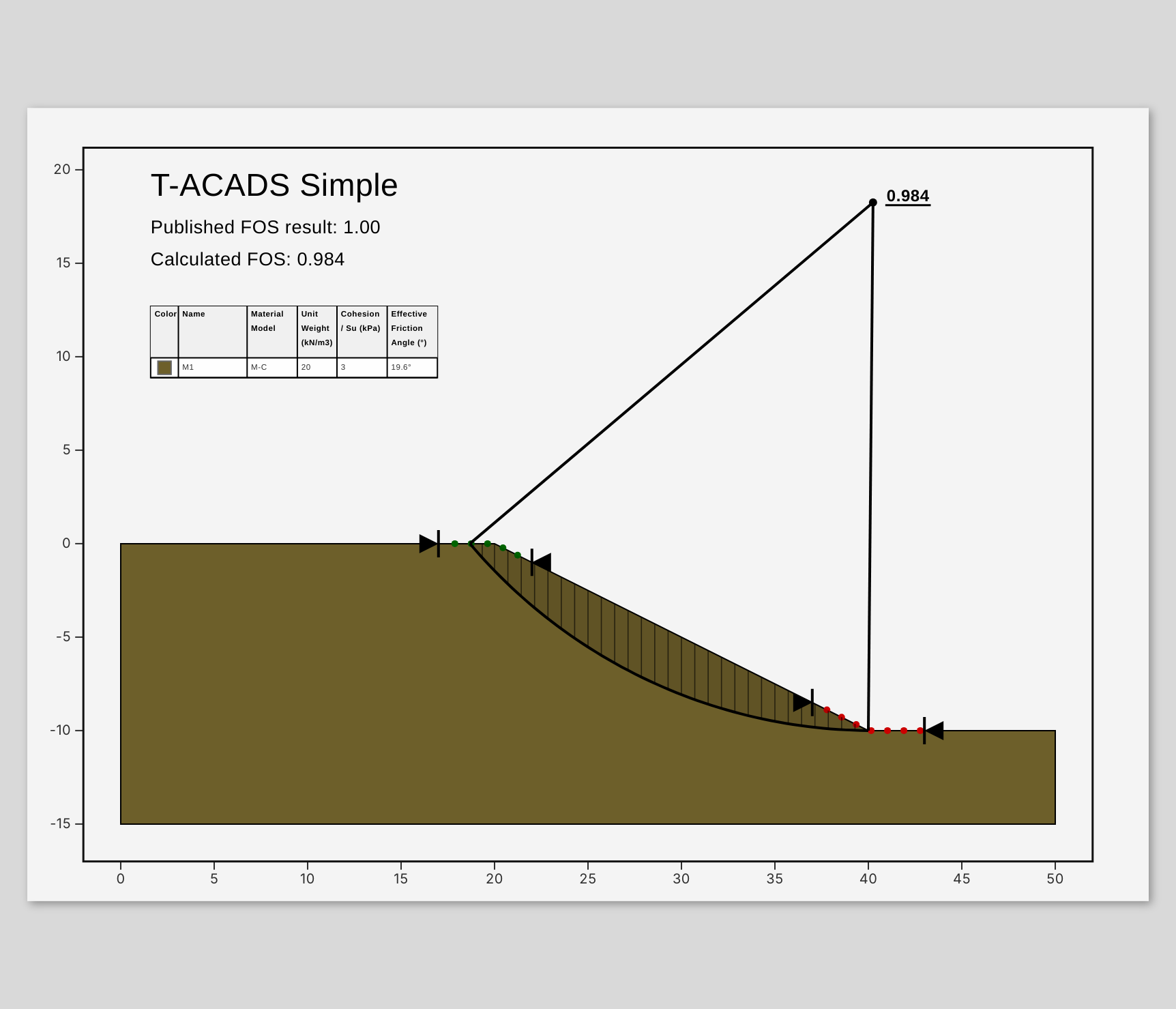
After an analysis the canvas switches to result mode. It shows a print sheet with the model, the critical slip surface and the annotations. Switch back with Edit on the floating toolbar; Results returns to the result view as long as the result is valid.
The summary
The result sidebar on the right (toggle it on the strip at the window edge) has three parts: Summary, Annotations and Properties. The summary shows:
- Min FOS: the lowest factor of safety found, coloured red below 1.0, amber below 1.5 and green above. With partial factors it reads Min FOS (design values) and has no amber: 1.0 and above is green.
- Method used.
- Surfaces: how many surfaces were analysed and how many of them have a factor of safety below 1.0.
- Elapsed: the time the analysis took.
- With both directions analysed: the sliding direction of the critical surface and the factor of safety of the other direction.
- Warnings, for example surfaces discarded because they did not reach equilibrium.
The status bar also shows the factor of safety and the method.
Display options
Results › Display controls what the sheet shows:
| Option | Effect |
|---|---|
| Critical only / All surfaces / Filter by FOS | Show the critical surface, every analysed surface, or only surfaces up to a factor of safety (FOS ≤, default 1.5) |
| Show slices | The slices of the critical surface |
| Show FOS label | The factor of safety next to the surface |
| Show centre mark | The centre of the critical circle |
| Grid lines | The grid on the sheet |
| Soil colors | The material colours |
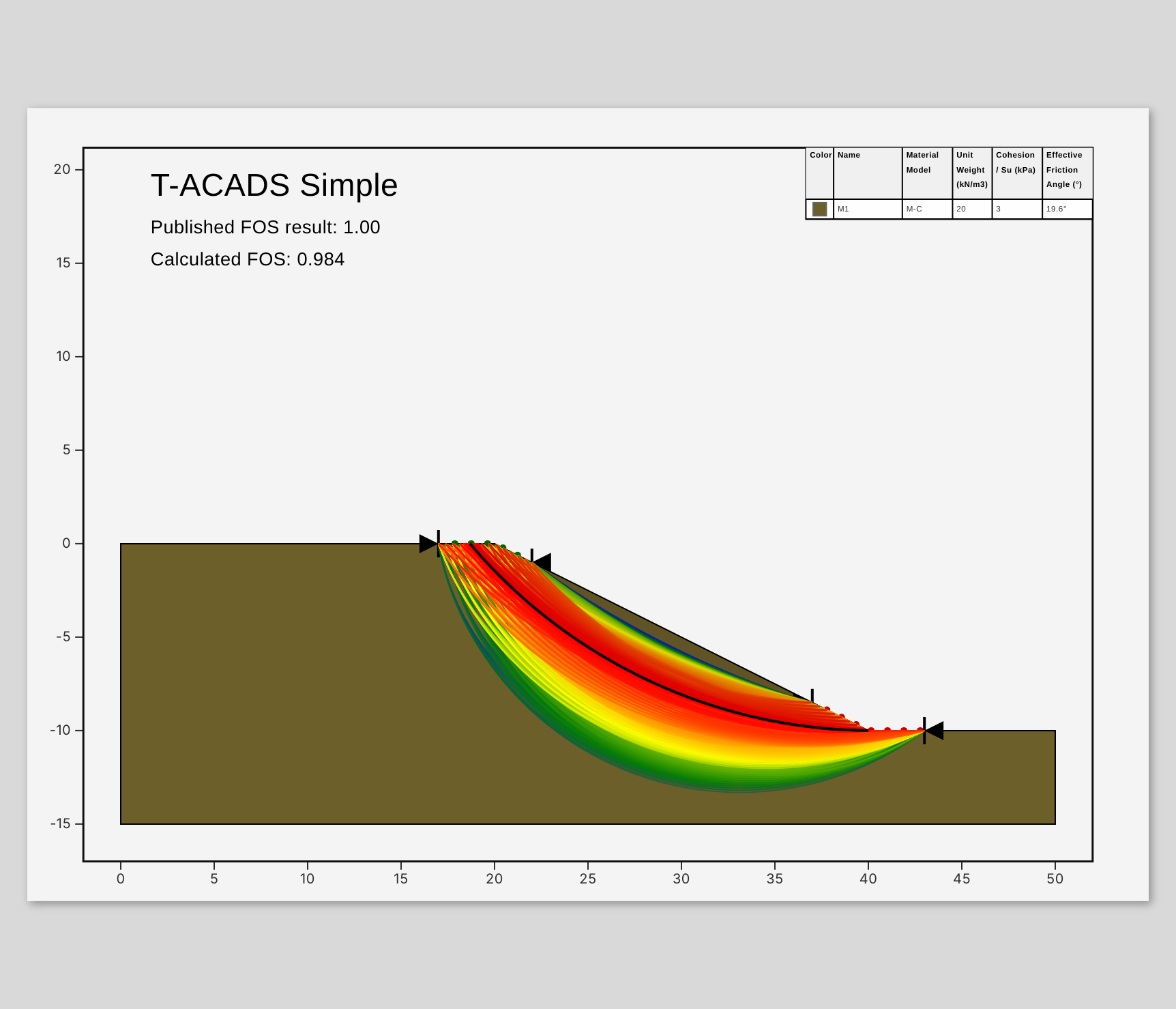
With All surfaces, each surface is coloured by its factor of safety, from red (lowest) through yellow and green to blue. Add a color bar annotation to show the scale (see Reporting).
Results plots
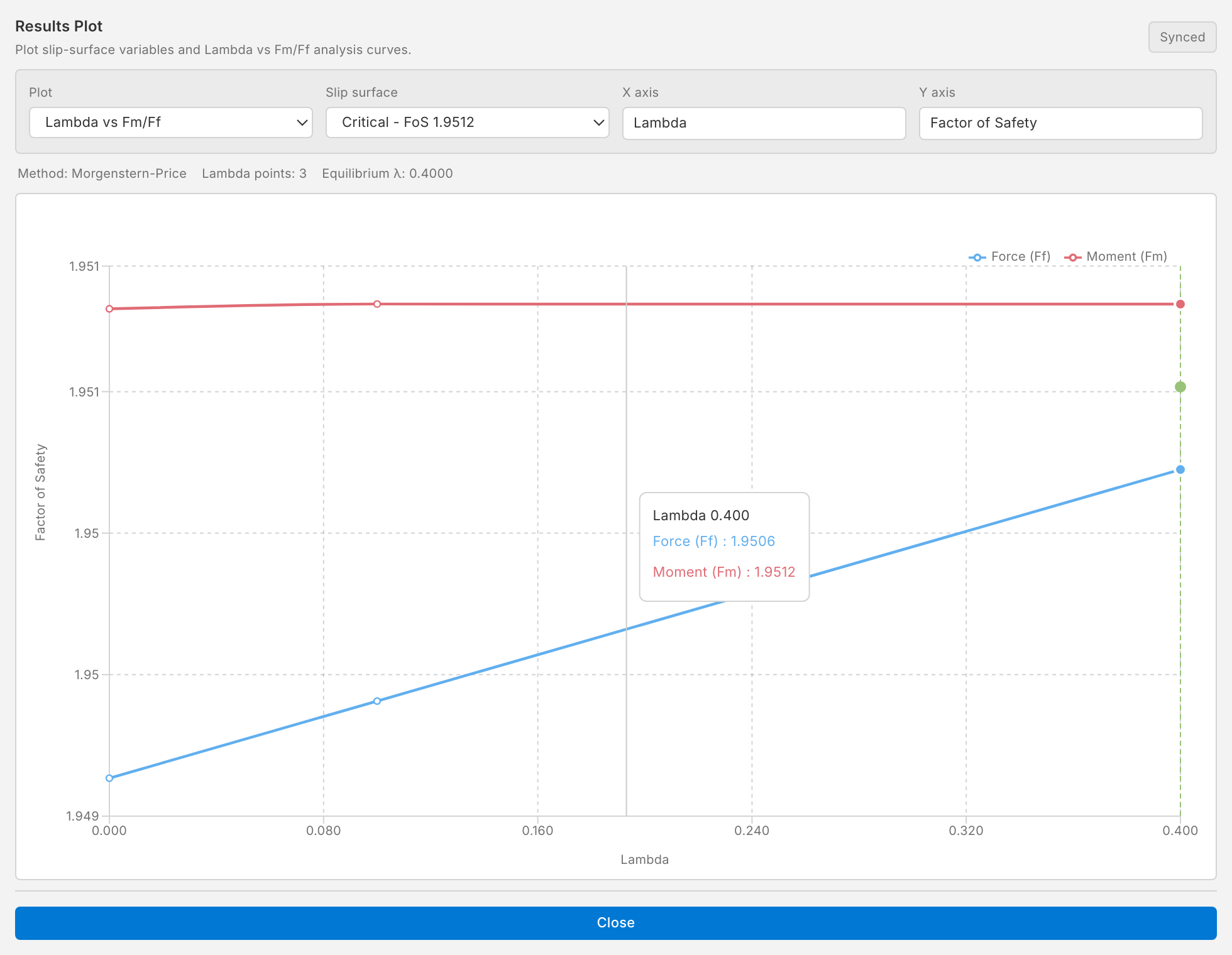
Results › Plots › Results Plot opens a window with plots of the analysed surfaces:
- Slip Surface Variables: a quantity along a slip surface, against the slice number or x. The quantities are shear strength, friction angle, cohesion, base cohesion, pore pressure, pore water force, slice weight, cohesion strength, resisting force and pulling force. Choose the surface in Slip surface: the critical one or any other analysed surface, listed with its factor of safety.
- Lambda vs Fm/Ff (Morgenstern–Price only): the factors of safety from moment and force equilibrium against λ. The factor of safety is where they agree within the tolerance.
Slice data
The slices of the critical surface can be exported as a table: Results › Export › ▾ › Slice data (Excel) or (CSV). The table lists, for every slice, its position, width, height, area, base angle and length, weight, surface load, base material, c, φ, pore pressure, effective normal force and shear strength, with a header that identifies the model, method, factor of safety and surface. See Reporting.
When the result is cleared
Any change to the model that affects the analysis clears its result: run the analysis again to see the new one. Changing the display options or the annotations does not clear the result.