A layered slope
Divide a section into layers with interior boundaries, define the materials and assign them to the regions.
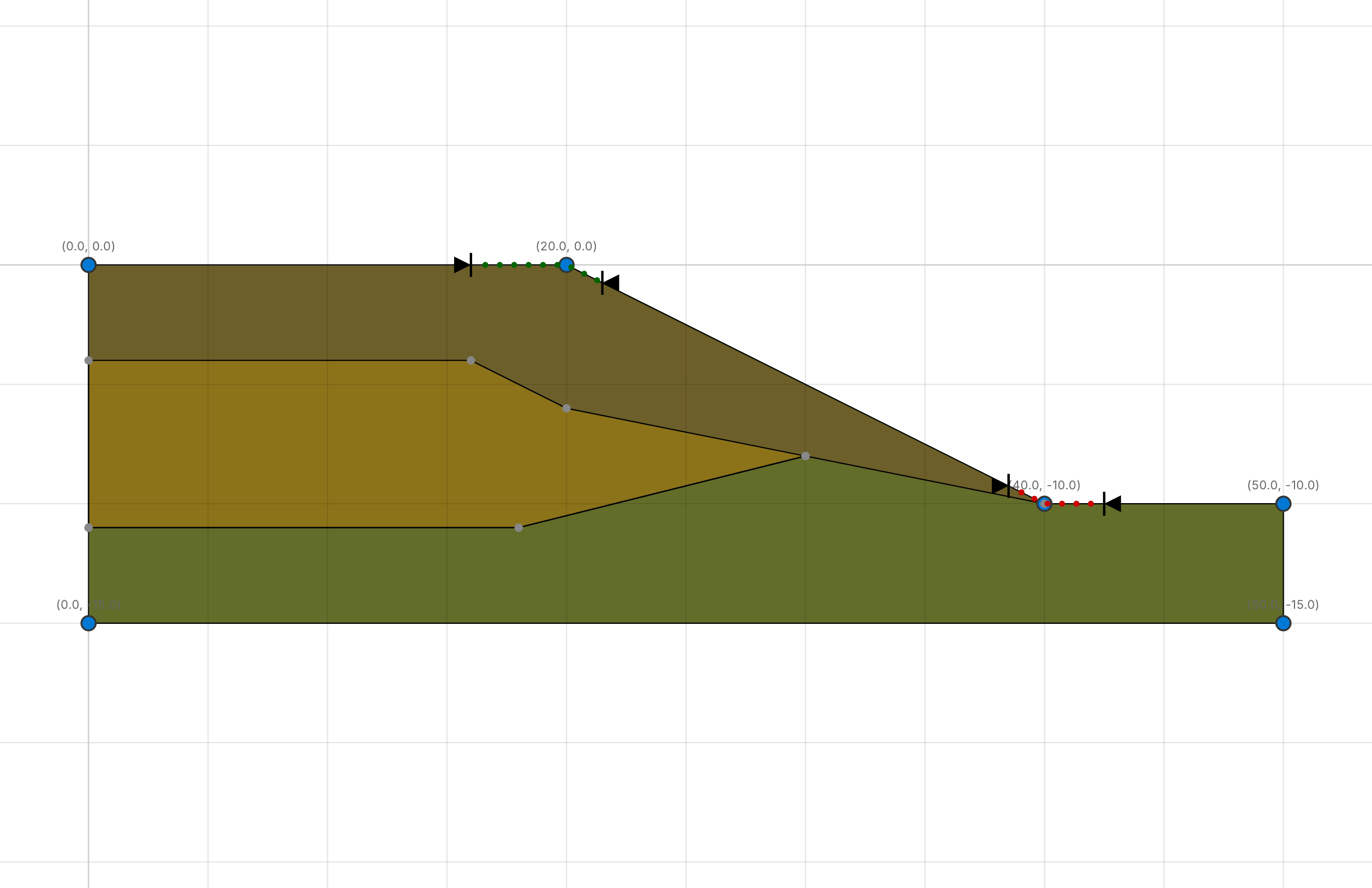
This tutorial uses ACADS problem 1(c) (Giam & Donald 1989), a slope through three soils. Open Help › Benchmarks and click T-ACADS Non-Homogeneous in the Explorer.
1. Interior boundaries
Open Model › Boundaries › Interior. Each interior boundary is a polyline, open or closed. Here Boundary 1 is closed and encloses Soil #2, and Boundary 2 separates Soil #1 from Soil #3.
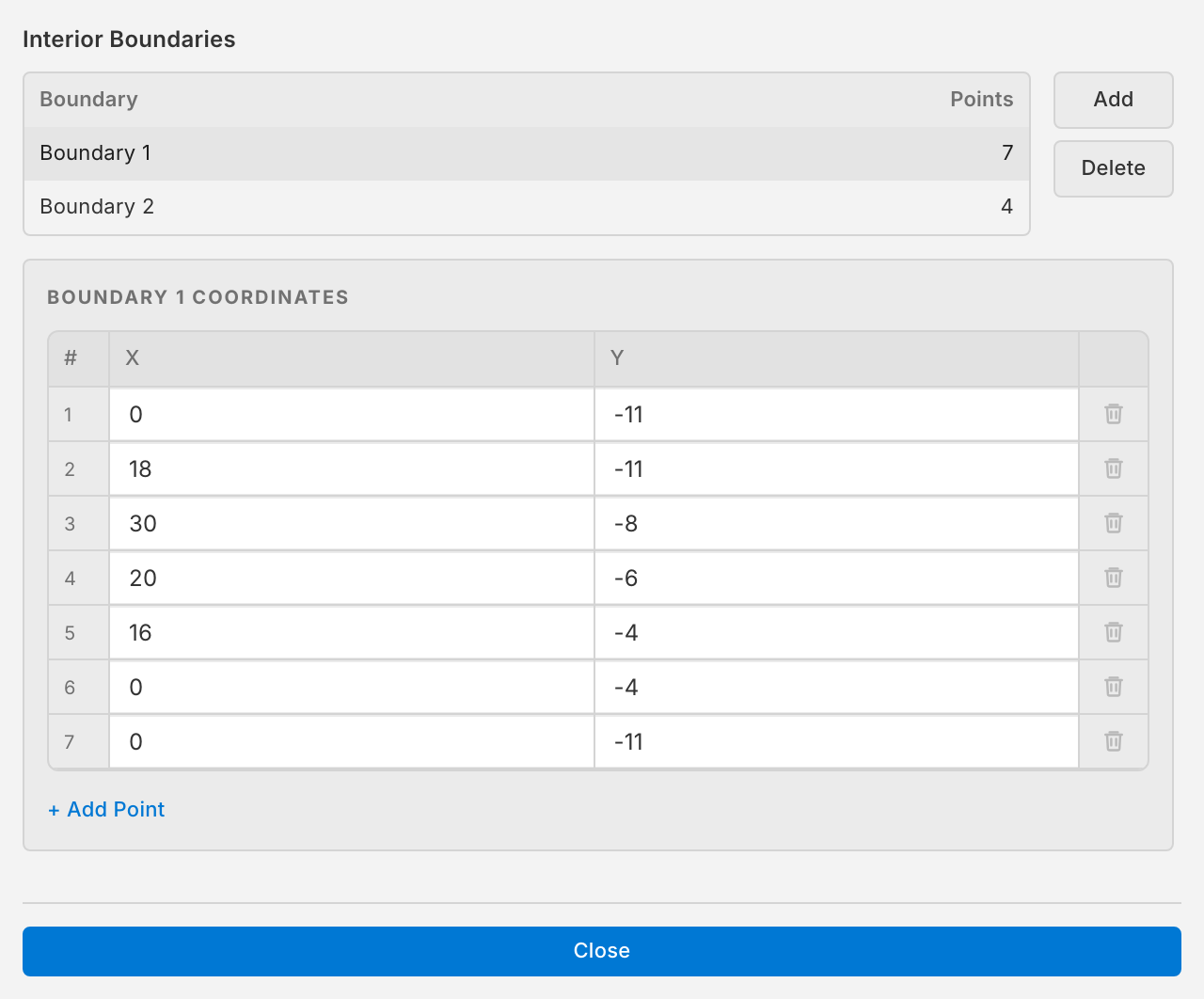
To draw a layer boundary of your own, click Add: a horizontal line across the model. Then move its points to the layer boundary, by typing coordinates or dragging on the canvas. Let it end on the exterior boundary on both sides; points snap to the boundary when they are close.
2. Materials
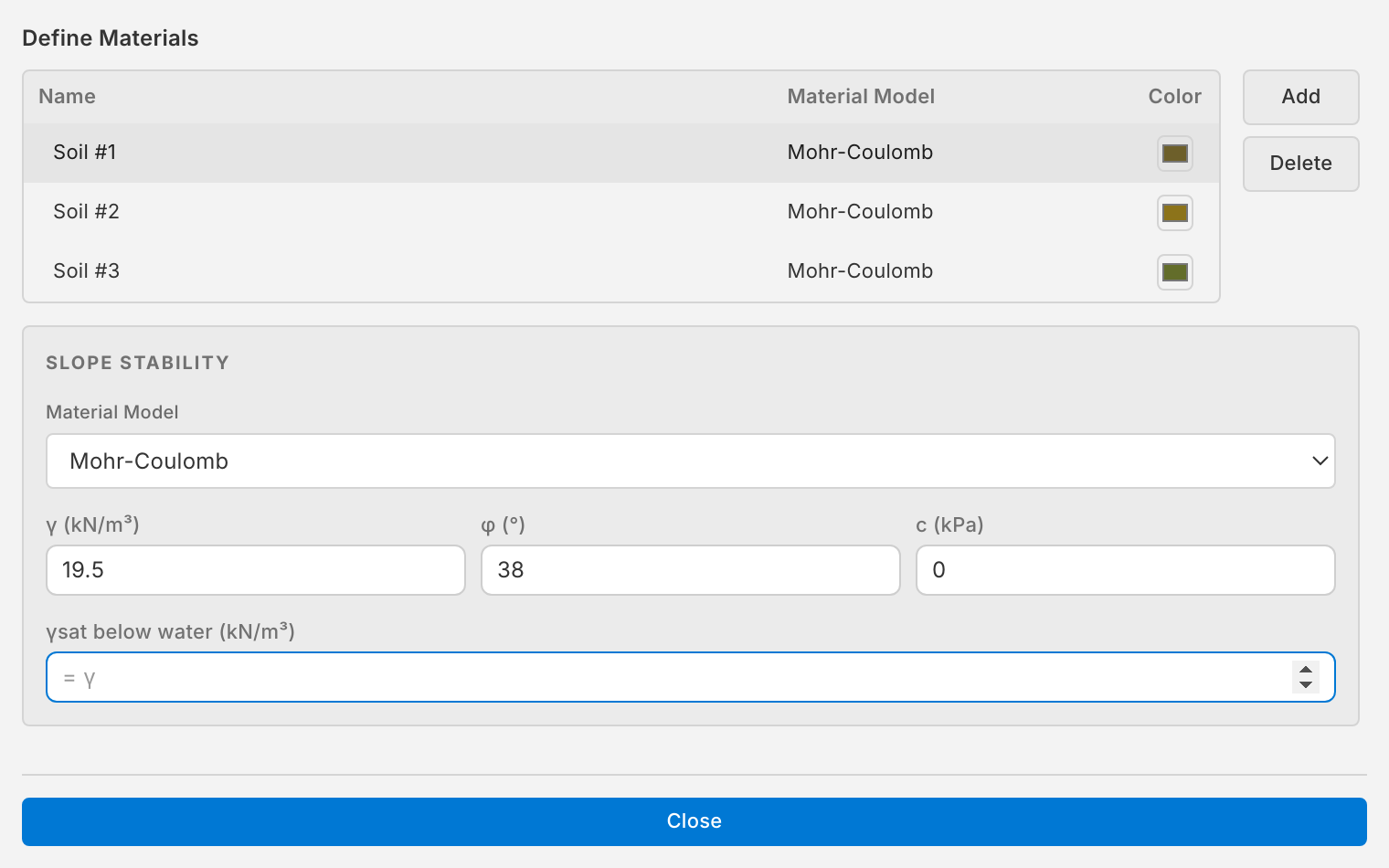
Open Model › Materials › Define. The three soils are Mohr-Coulomb materials:
| Material | γ (kN/m³) | c (kPa) | φ (°) |
|---|---|---|---|
| Soil #1 | 19.5 | 0 | 38 |
| Soil #2 | 19.5 | 5.3 | 23 |
| Soil #3 | 19.5 | 7.2 | 20 |
3. Assign the materials
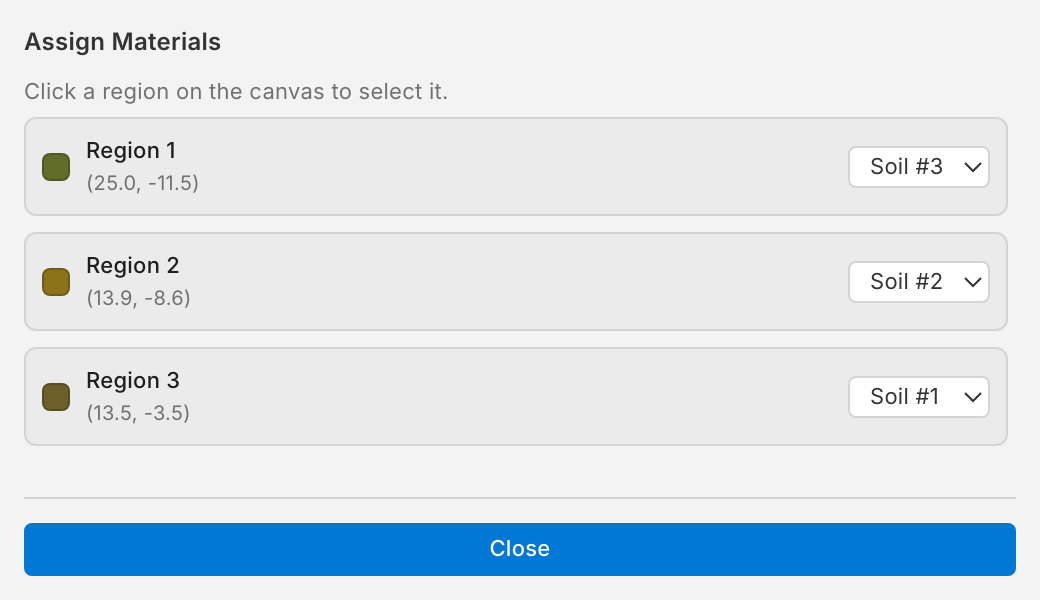
Open Model › Materials › Assign. cSlope has found the regions between the boundaries; each has a material.
4. Run
Click ▶ Run.
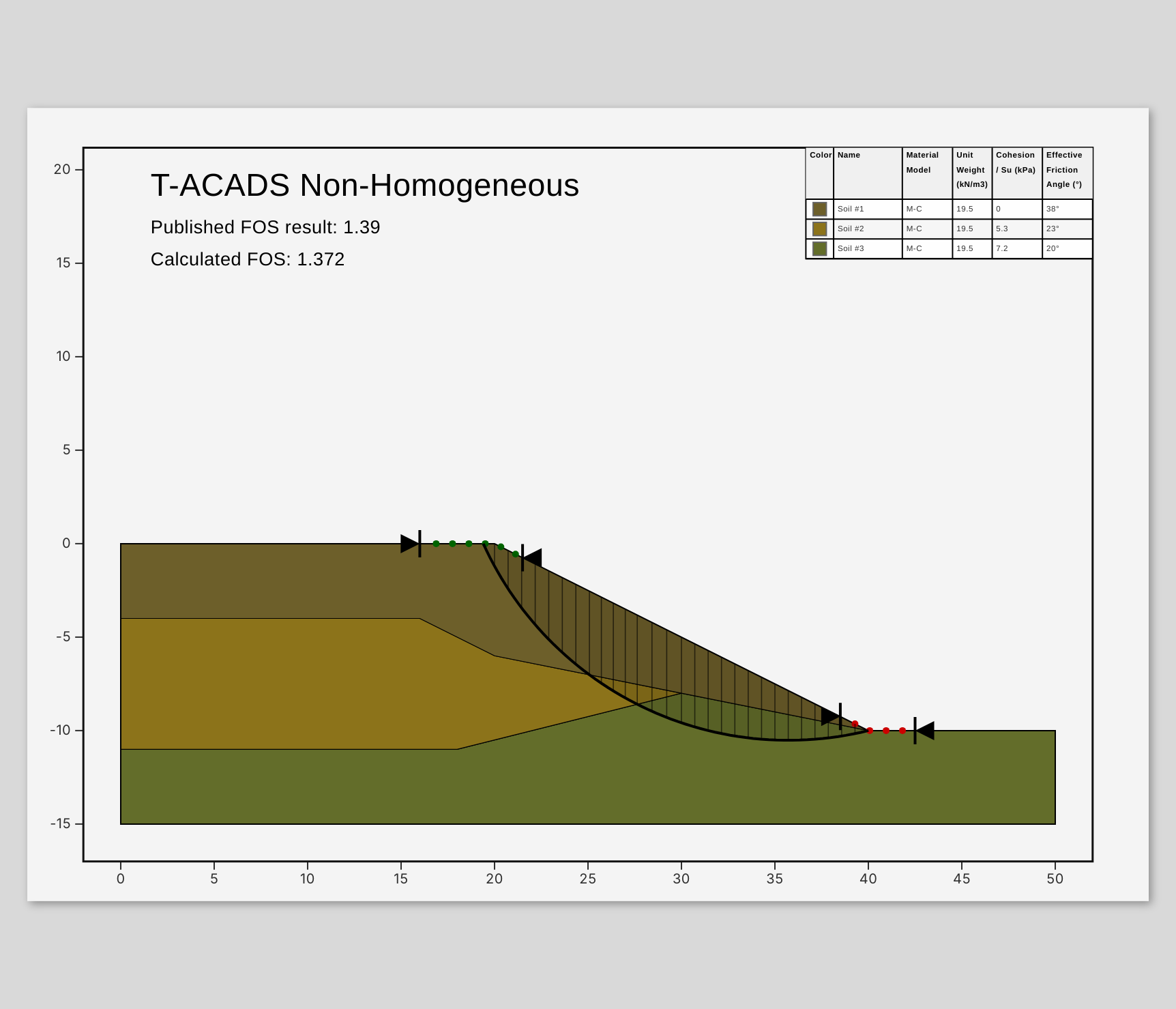
The factor of safety is 1.372 with Morgenstern–Price, against a published 1.39. The material table on the sheet lists the three soils.